In TotalMD there is a wizard to help you assign Late Fees to old charges in your ledger.
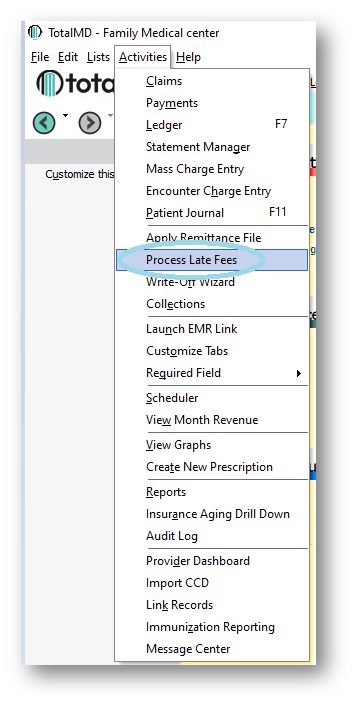
First, you will go to Activities>Process Late Fees:
You will then see the Late Charges screen:
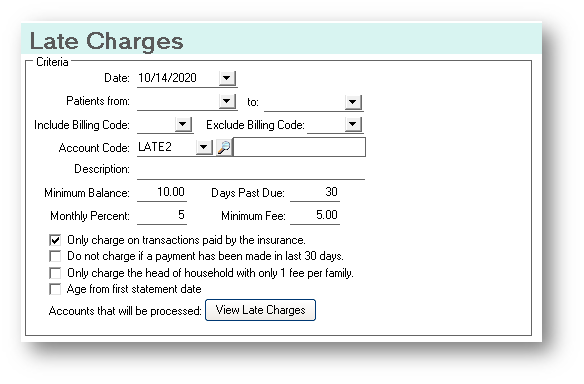
In this screen, you have several choices to change the results you will get from your search. You will probably want to search from the current date, but you can change that date to reflect any date you wish. You can also limit the patient range and include or exclude certain billing codes.
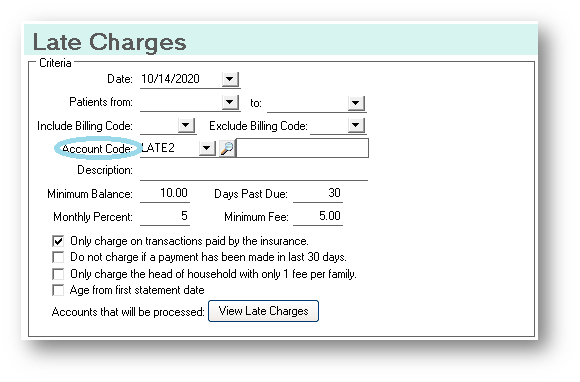
You will want to have created an account code for your Late Fee:
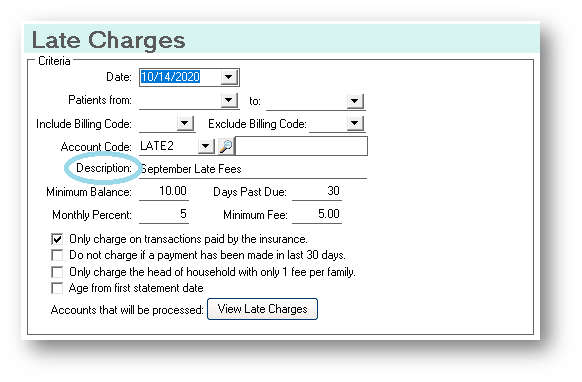
You may want to include some description of this Late Charge as well:
You will then choose your minimum balance, as you probably do not want to charge late fees on small balances. You will also choose the number of Days Past Due, the Monthly Percent and the Minimum Fee:
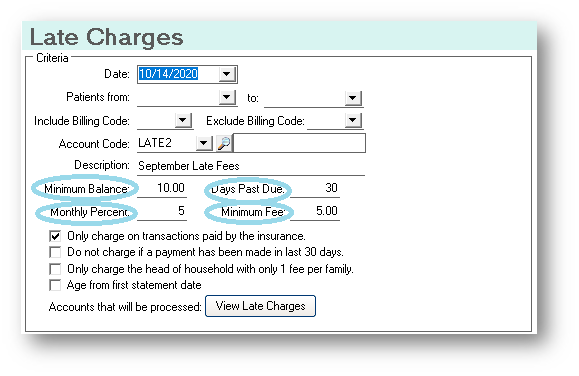
You then have four choices for delimiters to your results. By choosing to see only charges paid by the insurance, you will not penalize your patient for late insurance payments. If they are on a payment plan and are making regular payments, checking this box will keep those charges from appearing in your list.
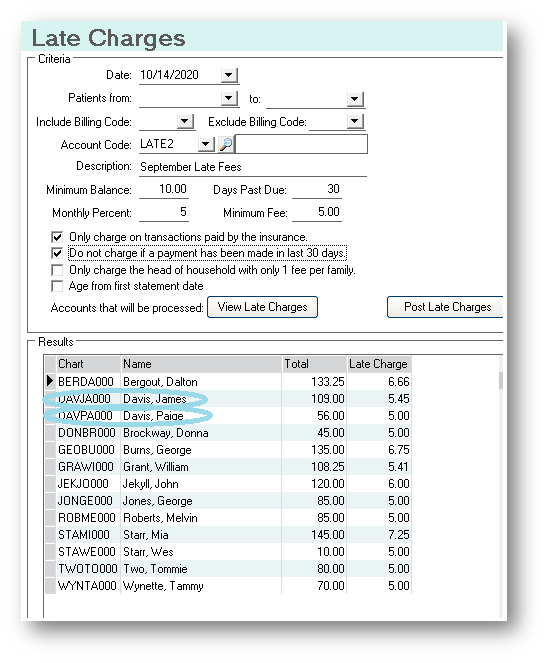
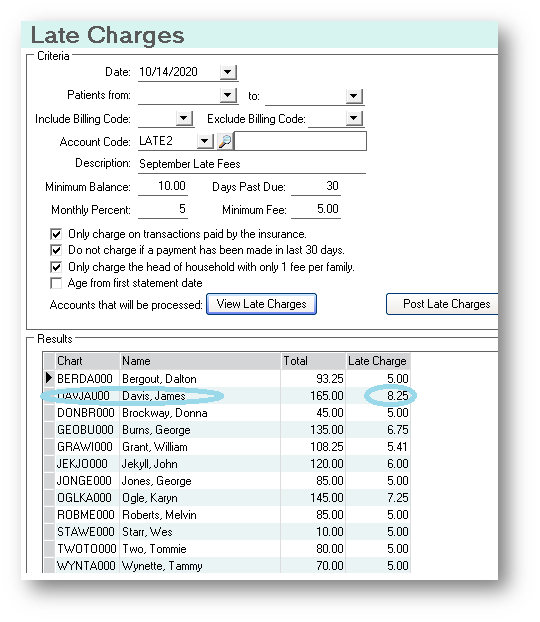
In the list above, you will notice there are two family members, each with a late charge. By clicking Only charge the head of household box, you will see a consolidated charge for the family:
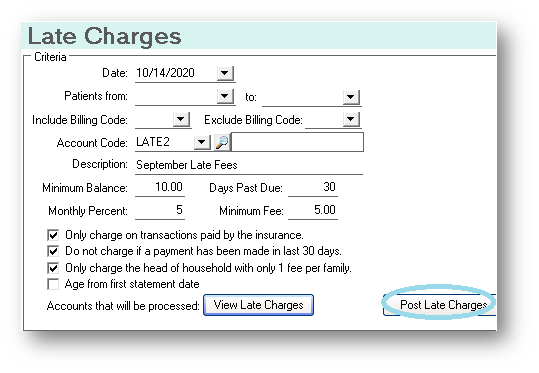
You also have the choice to age from the first statement date. After you have gone over your list and determine those are the charges you wish to post, you will click Post Late Charges:
Once you post those late charges, by returning to the ledger, you will see these charges:
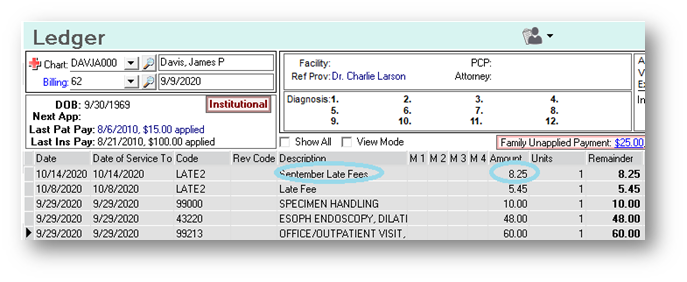
You can now run your statements that will reflect these late charges.
If you have questions regarding this functionality of TotalMD, please contact our support or training departments at 800-613-7597 Option 2 for Support or Option 3 for Training. If you would like a printable copy of this article, please contact Training at Option 3.