Within TotalMD, you can run a report that shows you appointments that have yet to be entered into the ledger. Here is a link to a YouTube showing this process and the instructions are below.
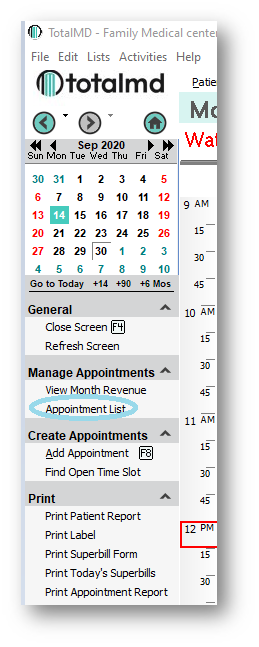
From within the Scheduler, click on Appointment List:
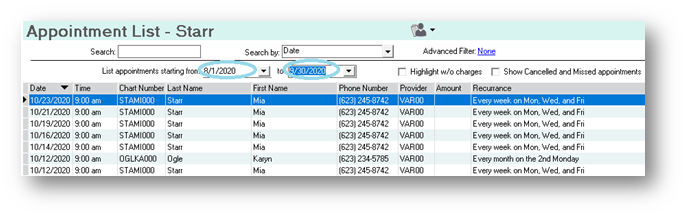
This will show you all appointments within the date range that you choose:
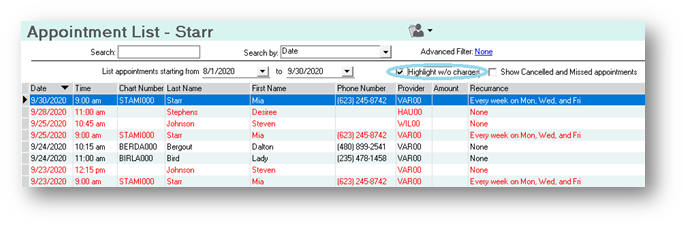
By clicking the box Highlight w/o charges, all appointments that have not been entered into the ledger will show up red:
If you have questions regarding this functionality of TotalMD, please contact our support or training departments at 800-613-7597 Option 2 for Support or Option 3 for Training. If you would like a printable copy of this article, please contact Training at Option 3.