At times, insurance companies will issue authorizations for procedures or for a certain number of visits for a patient. These can be tracked very efficiently in TotalMD. They can be entered into the patient Insurance Information screen:
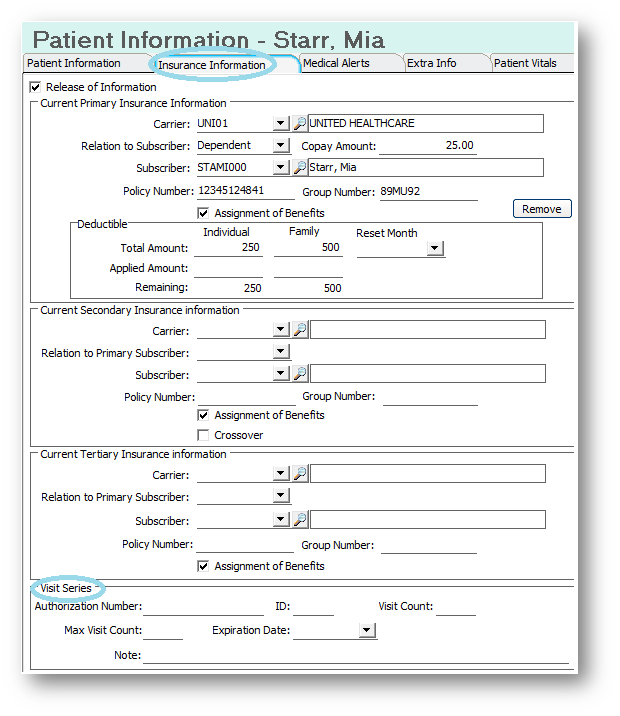
However, this is not the best place to put this information as you would have to change it frequently. The best place is in the Billing Information tab:
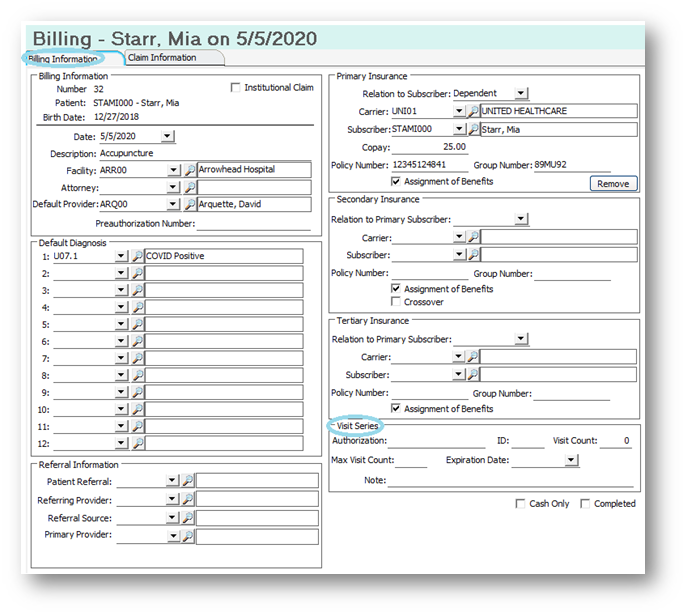
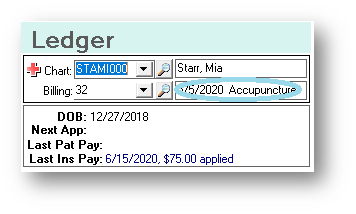
You can access this screen by going to the Ledger of the patient you are working with and clicking on the information to the right of the billing number:
This will take you to the Billing Information tab, where, in the lower right-hand corner of the screen, you will see all of the information that you should have from the insurance company for the authorization:
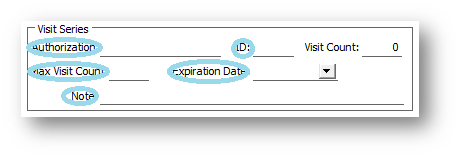
By placing a Max Visit Count number, the system will tell you when you are on the last 3, 2 and very last visit for this authorization:
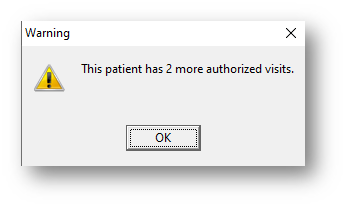
The system will automatically track the visits as you put them into the ledger. The reason behind using the billing to place the authorization into is that each authorization can have its own billing and you are able to track each authorization easily.
If you have questions regarding this functionality of TotalMD, please contact our support or training departments at 800-613-7597 Option 2 for Support or Option 3 for Training. If you would like a printable copy of this article, please contact Training at Option 3.