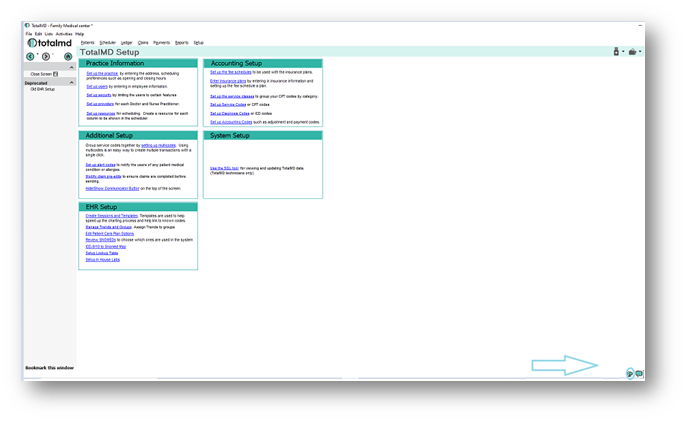
If you do not wish TotalMD’s system to automatically send texts, you will go to the cell phone icon in the lower right-had corner of the screen:
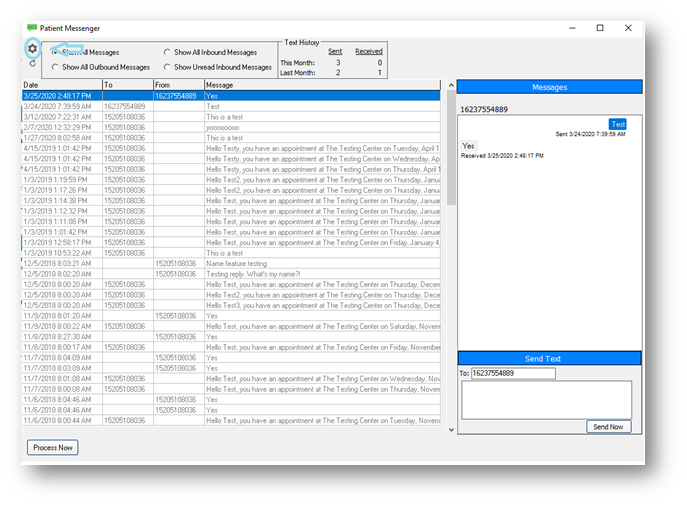
You then go to the control panel symbol in the upper left-hand corner of the screen:
You will then go to the Settings tab and click Appointment Reminders:
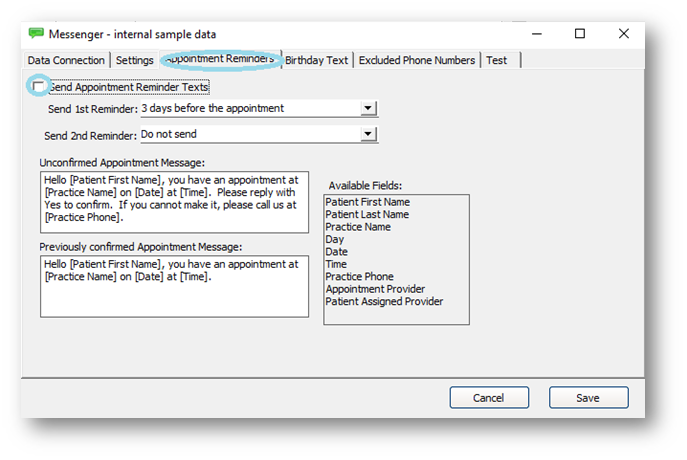
In the upper left-hand side of this tab is a Send Appointment Reminder Texts box. You will want to uncheck this box. This will make it so that you can send texts individually. You will then Save your changes:
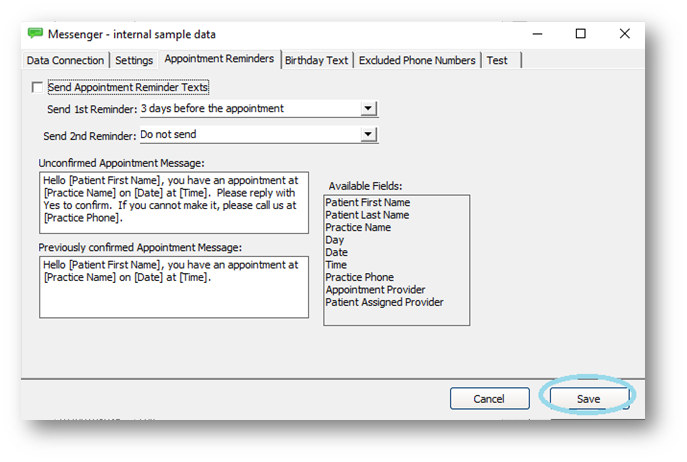
Now all appointment reminders must be sent manually.
If you have questions regarding this functionality of TotalMD, please contact our support or training departments at 800-613-7597 Option 2 for Support or Option 3 for Training. If you would like a printable copy of this document, please contact the Training Department.