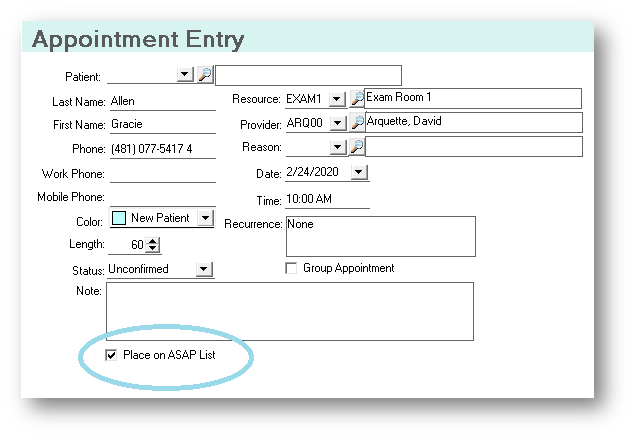
If a patient calls and needs to be seen as soon as possible, there is a way to create an ASAP list. By opening the patient appointment, you can click the Place on ASAP List box:
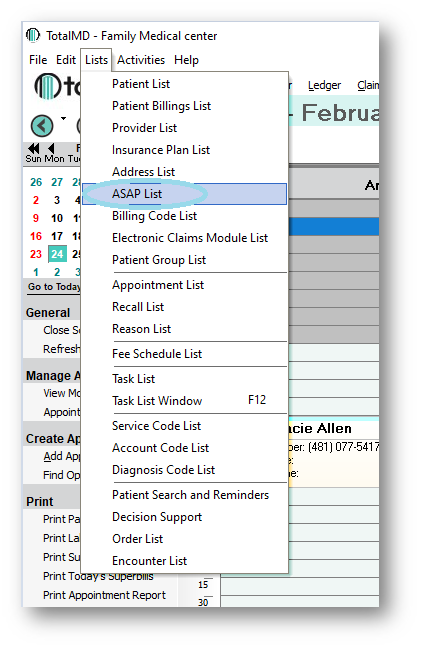
When an appointment becomes available, a report can be run by going to Lists>ASAP List:
This will generate a list of any patients who want to be seen on an urgent basis:
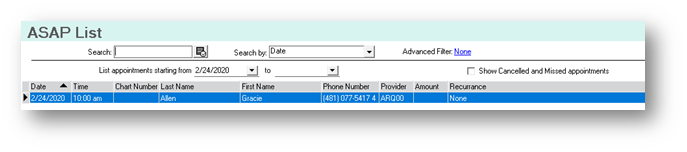
Double-clicking on anyone on the list will bring you to the Appointment Entry screen of the current appointment for this patient, allowing you to change it if necessary.
If you have questions regarding this functionality of TotalMD, please contact our support or training departments at 800-613-7597 Option 2 for Support or Option 3 for Training. If you would like a printable copy of this article, please contact Training at Option 3.